|
|
AcroPDF Systems - Press Room
 Image resources Image resources
Company Profile
AcroPDF Press Release (Jan 6, 2022)
PDF
SpeedUp Press Release (Aug 24, 2018)
This Press Room
is aimed at media professionals to provide the latest information with great
accuracy. All the resources here are to make easy the reporting about our
company and products.
For more information, or to answer any additional questions you may have, please
feel free to contact us.
Our
Press Relation Specialist will respond to you via email within 6 hours on weekdays, in
12 hours on
weekends. And you will receive phone support upon request.
Image resources
      
 Software Icons Software Icons


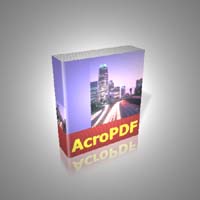
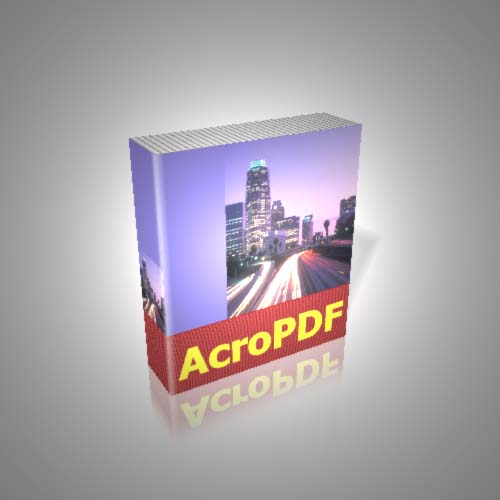
Box Shots
Screen shots
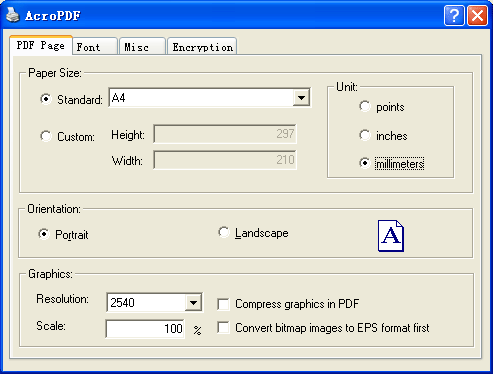
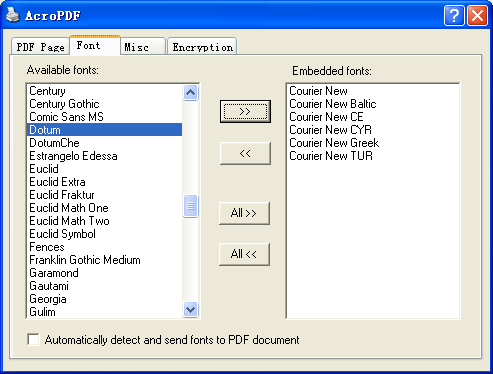
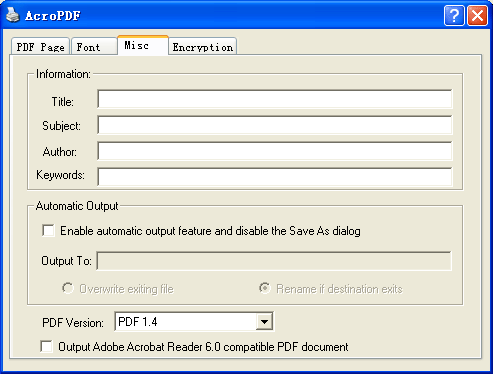
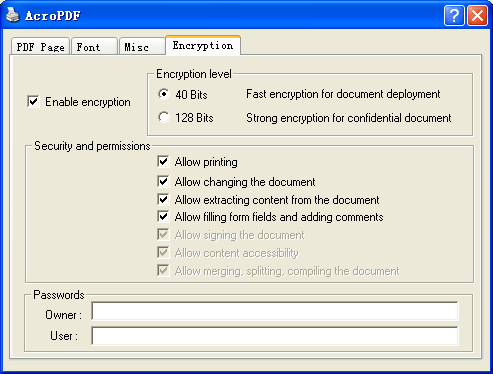
User's Manual
https://www.acropdf.com/manual.chm
https://www.acropdf.com/manual.pdf
Software Download Link
(822 KB, 841,528 bytes)
https://www.acropdf.com/acropdf_setup.exe
License Agreement
https://www.acropdf.com/end-user-license-agreement.html
XML PAD File for
webmasters
https://www.acropdf.com/acropdf.xml
Company Profile
AcroPDF Systems was founded
in 1995 by Michael Duc and Pierre Gilles devoting itself in the development of
printer drivers. The company has developed laser printer and ink-jet printer
drivers for international corporations such as Lexmark, Hewlett-Packard, IBM
etc. In 2001, AcroPDF Systems marched into desktop publishing industry, jointly
developed custom systems for small and medium-size companies in France.
AcroPDF is short for Acro-People-Design-Fashion. Today,
AcroPDF Systems provides solutions for desktop publishing and paperless
automation. AcroPDF Systems' goal is to help individuals and businesses deliver
information more efficiently and effectively.
AcroPDF Press Release (Jan 6, 2022)
 AcroPDF Systems
AcroPDF Systems' Newest Release of AcroPDF
software
The fastest PDF writer on the market
|
|

Jan 6, 2022
AcroPDF 6.2 released. Support for Windows 11, Windows 10 and Windows Server 2022 (32-bit and 64-bit). Shareware. US$69 per license.
Oct
26, 2019
AcroPDF 6.00 released. Add support for Windows 7 and Windows 2008 [x64 and x86].
Aug 24, 2018
PDF SpeedUp 2.01 Final released. Works with Adobe Reader 9 and Adobe Acrobat 9.
Freeware.
Aug 22, 2017
Photoshop Speedup 2.00 Final released. Freeware. New UI

July 28, 2017
PDF peedUp 2.00 RC2 released. Freeware. New UI


July 18, 2017
Photoshop SpeedUp 2.00 RC2 released. Freeware. New UI


July 9, 2017
PDF SpeedUp 2.01 RC1 released. Freeware. New UI

July 2, 2017
Photoshop SpeedUp 2.00 RC1 released. Freeware.


Jun 25, 2017
AcroPDF
Commercial license is ready to ship to IBM UK.
Jun 6, 2017
AcroPDF 3.00 Beta 4 released. Freeware.
Jun 1, 2017
Cooperated with Bureausoft. PDF Split & Merge has been integrated into the full
version of AcroPDF 3.00 Beta 4.
May 28, 2017
Photoshop SpeedUp 2.00 Beta 2 released. Freeware with no pop-up advertisement or registration
window.
May 17, 2017
PDF SpeedUp 2.01 Beta 2 released. Freeware for personal, non-commercial use only.
May 15, 2017
AcroPDF 3.00 Beta 3 released. Add support for Windows 2008 R2 and Windows
7 RC1.
April 27, 2017
AcroPDF 3.00 Beta 2 released.
March 12, 2017
AcroPDF 3.00 Beta 1 released. Support Microsoft Windows and Citrix Terminal
Services.
March 5, 2017
AcroPDF 3.00 Alpha released.
Feb 25, 2017
PDF SpeedUp 2.01 Beta 1, Photoshop SpeedUp 2.00 Beta 1 released.
Feb 12, 2017
New PDF SpeedUp, Photoshop function freeze milestone.
Image resources
Company Profile
AcroPDF
Press Release
PDF
SpeedUp Press Release
Image resources
Company Profile
AcroPDF
Press Release
PDF
SpeedUp Press Release
Image resources
Company Profile
AcroPDF
Press Release
PDF
SpeedUp Press Release
Image resources
Company Profile
AcroPDF
Press Release
PDF
SpeedUp Press Release
Image resources
Company Profile
AcroPDF
Press Release
PDF
SpeedUp Press Release
Image resources
Company Profile
AcroPDF
Press Release
PDF
SpeedUp Press Release
Image resources
Company Profile
AcroPDF
Press Release
PDF
SpeedUp Press Release
Image resources
Company Profile
AcroPDF
Press Release
PDF
SpeedUp Press Release
|
|
NANTERRE (Jan 6, 2022)...AcroPDF Systems today
announces the release of the newest version of AcroPDF, easy-to-use and
inexpensive alternatives to Adobe Acrobat for creating Adobe Portable Document
Format (PDF) files. The new version is the fastest PDF creation software
products on the market: Creating PDF files is as easy as printing to the
printer. AcroPDF processes various format types in a split second, and write PDF
files quickly and accurately.
Unlike other PDF writers currently on the market, users of AcroPDF will not have
to wait such a long time as to see the generated PDF files. In public testing,
AcroPDF is 6 to 10 times faster than Adobe Acrobat, PDF Factory, PDF995, since
AcroPDF processing the conversion from other document types to PDF takes much
less time. Users can simply set AcroPDF as their default printer driver and when
they submit a print job, a save as dialog will appear after they set the options
for paper size, orientation, Security etc.
AcroPDF enables software developers to easily integrate AcroPDF printer drivers
to their own applications. Developers may specify the file name and destination
folder for the output PDF files, set options. No more programming will be
needed, since AcroPDF can be controlled by setting and modifying values in
registry hive.
Different
types of Commercial license are available for commercial entities. Single
License for commercial use is priced at $69. AcroPDF is available for download
at the AcroPDF Systems web site,
www.acropdf.com. Volume discounts are available.
About PDF
PDF stands for Portable Document Format. PDF is a graphically oriented file
format designed for electronic interchange; it was developed by Adobe Systems
Inc. for use with its Acrobat software. PDF preserves the original look of the
document almost exactly: fonts, photos, graphics and layout all appear as they
do in the original. The PDF format is derived from PostScript, the page
description language developed by Adobe, but a PDF file is much smaller than a
corresponding PostScript file, so it is more suitable for electronic delivery.
Anyone with the right software using Apple Macintosh, Microsoft Windows (3.1,
95, 98, ME, Windows 2000, Windows XP, Windows 2003, Windows 2008,
Windows 2012, Windows Vista, Windows 7, Windows 8, Windows 8.1,
Windows 11, Windows 10 [32-bit/64-bit]), Windows NT, and Sun and Hewlett
Packard workstations can view any PDF document. In addition, files that are
described in Postscript can be printed on any printer that speaks the Postscript
language, regardless of what kind of computer is connected to the printer.
Likewise, regardless of what type of computer creates a PDF file, it can be
viewed on any computer with Adobe Acrobat Reader software. In order to view PDF
files, you must use PDF-reading software. And Adobe Acrobat Reader software is
free!
PDF SpeedUp Press Release (Aug
24, 2018)
AcroPDF Systems
AcroPDF Systems' Newest Release of PDF SpeedUp
software
Speed up your Acrobat Reader to being lightning fast!
|
|
NANTERRE (Aug 24, 2018)...AcroPDF Systems today
announces the release of the newest version of PDF SpeedUp, a freeware program
to speed-up your Acrobat Reader to being lightning fast!
If you notice that when Adobe Reader starts it loads many plug-ins which
you may or may not need, this program simply disables the plug-ins and loads
only the absolute necessary ones so the program starts quickly. You can if you
like load all those plug-ins that you need at he time of installation by
checking the required plug-ins, otherwise go for the default option and install
the program by clicking the button. Its very easy and not rocket science at all.
PDF SpeedUp allows you to significantly speed up the time it takes to load Adobe
Reader. It offers several options and you can also manually enable or disable
the plug-ins as needed. Other options include enable or disable the plug-ins as
needed, turn off all Updates features, disable the splash screen during program
startup, remove the My eBooks folder created in My Documents, turn off the
advertisements for Adobe products in the upper-right corner of the toolbar,
remove PrintMe and Adobe Reader icons, disable Browser Integration, disable
confirmation dialog when closing Adobe Reader, better speed for LAN and Cable
connection, clear Adobe Reader Recent Files history, Restore to original
settings at any time etc. PDF SpeedUp works with
Adobe Acrobat 5, 6, 7, 8, 9, 10, Adobe Reader 5, 6, 7, 8, 9, 10, almost all Adobe Reader versions are supported.
Multi-lingual
interface:
PDF SpeedUp is freeware, free for personal and non-commercial use only, available for download
at the AcroPDF Systems web site,
www.acropdf.com.
About PDF Reader
PDF Reader is a freeware program to open and view PDF documents and eBooks.
The latest version of PDF Reader can be obtained from
Adobe website.
|